
PCIe wireless adapters are one of the ways to connect a computer or server to a Wi-Fi network. There are different formats of PCIe wireless adapters, and there are also USB wireless adapters that compete with them based on convenience of operation. This FAQ reviews the operation of PCIe expansion cards, reviews the use of single-band versus dual-band antennas, looks at PCIe mini cards for industrial systems, and compares PCIe cards with the USB option.
PCIe Wi-Fi cards typically come with both Wi-Fi and Bluetooth connectivity. They are available with one or more antennas for improved network operation. Some are also available with external antenna stands that allow users to position the antennas for optimal performance.
A PCIe Wi-Fi card requires only a single PCIe lane and can be accommodated in an x1 slot. A Wi-Fi 6 (802.11AX) card has a maximum transfer rate of 2.4 Gb/s, or about 300 MB/s, on the 5 GHz frequency. A PCIe generation 3.0 x1 slot with a single lane has a transfer speed of 985 MB/s, over three times that needed by Wi-Fi 6. But a PCIe Wi-Fi card does not necessarily require a x1 slot. In most computers, smaller x1 PCIe devices are compatible with larger slots, even up to x16 slots (Figure 1).
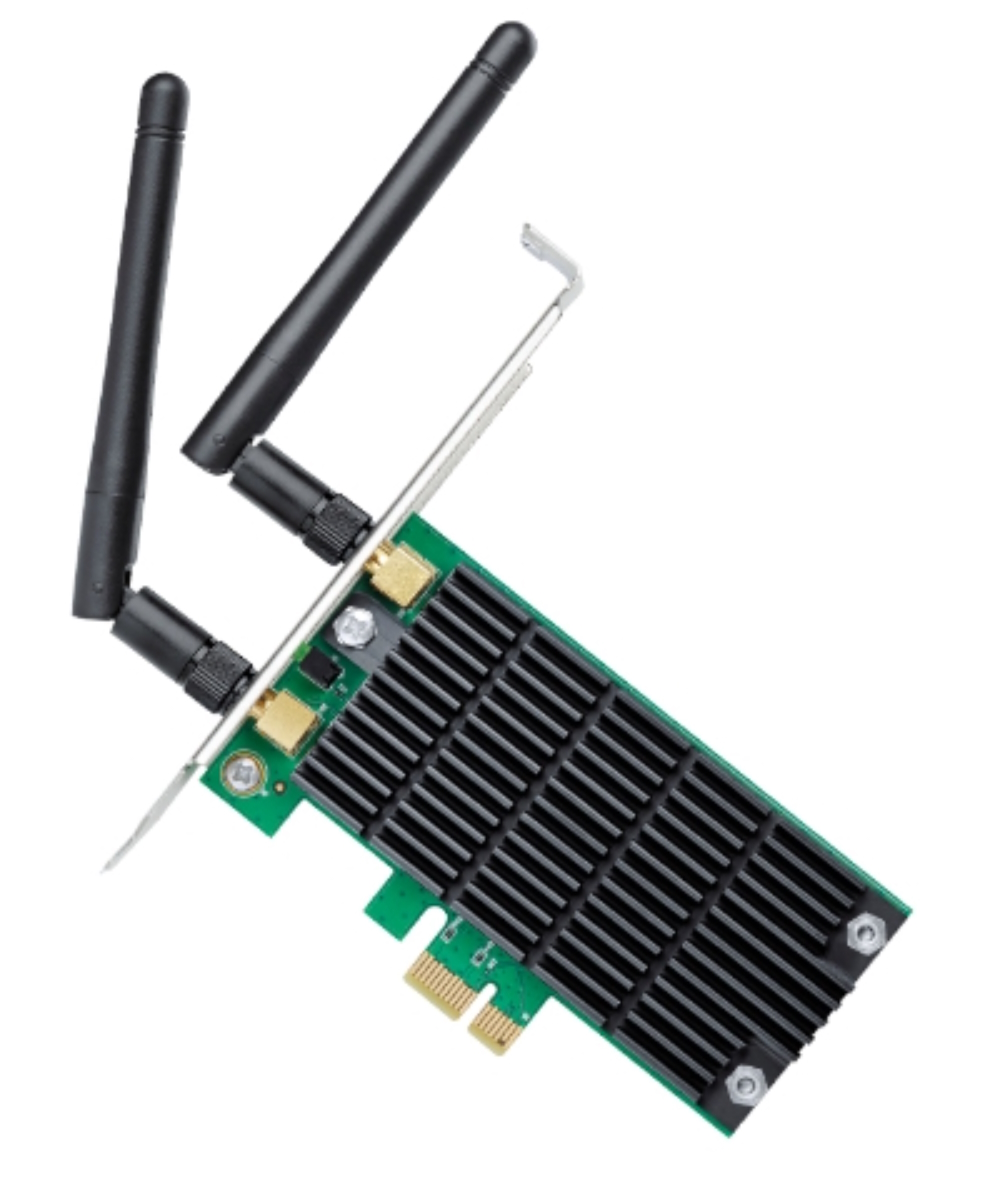
Figure 1. Typical PCIe Wi-Fi adapter card showing the x1 connector on the bottom and dual antennas that protrude outside the system box. (Image: TP-Link)
Single-band versus dual-band antennas
Newer PCIe Wi-Fi cards come with dual-band antennas, but some legacy devices use single-band antennas. Bluetooth and some other legacy wireless networks operate in the 2.4 GHz band. Wi-Fi 4 and newer devices can operate in both the 2.4 GHz and 5 GHz bands. Wi-Fi 6E added the 7 GHz band. To avoid interference, Wi-Fi frequency bands include several channels. Many devices sense the RF environment and dynamically change channels to optimize performance and eliminate interference.
An antenna rated for 2.4 GHz and/or 5 GHz can accommodate all the associated channels. Plus, orthogonal frequency division multiple access (OFDMA) technologies were added in Wi-Fi 6, enabling a single channel to share the bandwidth evenly with up to 30 users without interference.
PCI mini
Mini PCI Express (mPCIe) was originally developed for consumer devices such as tablets and personal computers. Today, mPCIe cards are mostly found in industrial PCs, digital signage, and automation and transportation systems. mPCIe cards measure 30 mm x 50.95 mm, while half mPCIe cards measure 30 mm x 26.8 mm.
Half mPCIe and mPCIe cards are available for slave applications in fieldbus and industrial Ethernet; they can provide GPS functionality, and they can add wireless connectivity. For a typical wireless adapter mPCIe card, the slot on a mainboard must support both an x1 PCIe link and a USB 2.0 link because the mPCIe card can utilize PCIe and/or USB 2.0 connectivity (Figure 2).
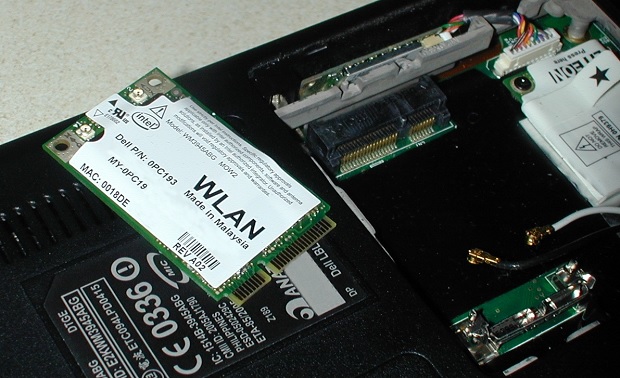
Figure 2. mPCIe wireless adapter card supports both PCIe and USB 2.09 connectivity. (Image: OnLogic)
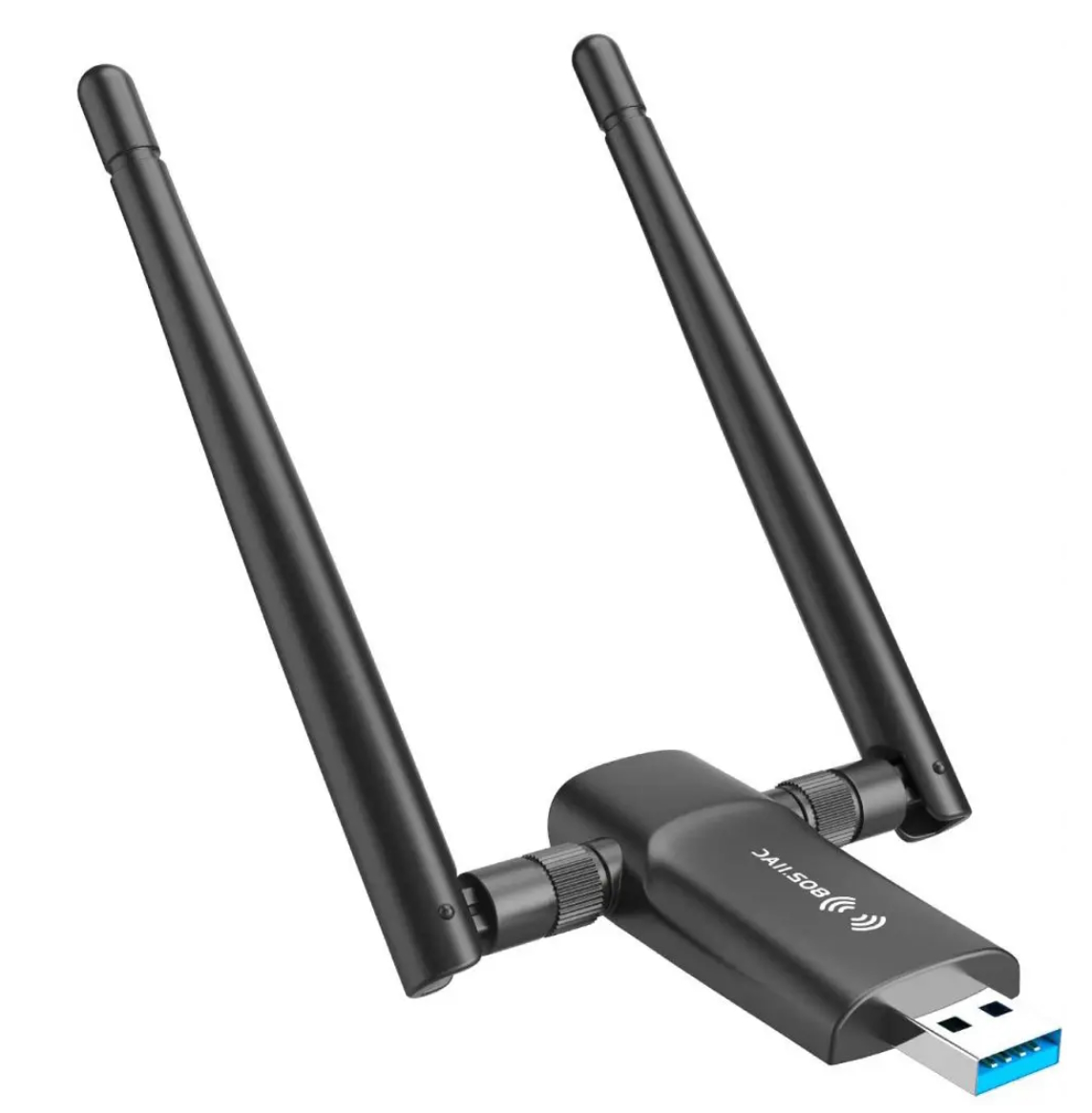
Figure 3. Dual antenna USB wireless adapter. (Image: PCGuide101)
USB Wi-Fi adapters
USB wireless adapters provide a simpler, more convenient, and lower performance option to PCIe and mPCIe wireless adapters (Figure 3). A PCIe or mPCIe Wi-Fi adapter can potentially reach a maximum data rate of 2.4 Gb/sec, while a USB wireless adapter has a maximum rate of 876 Mb/sec. A typical PCIe adapter will also deliver better range.
PCIe wireless adapters have potential disadvantages:
• Adding a PCIe card makes the system run hotter.
• PCIe cards are more expensive than USB alternatives.
• They are more difficult to install for some users because they must be inserted into a PCIe slot inside the system box.
Summary
PCIe and mPCIe wireless adapters provide an efficient and high-performance way to add Wi-Fi and Bluetooth connectivity. For users who don’t need maximum performance and are looking for a simpler-to-install and lower-cost solution, USB wireless adapters can be a viable option.
References
PCIe vs USB WiFi, PCGuide101
USB vs PCIe WiFi, PC Geekz
What is the PCIe Mini Card, OnLogic
Related content
OFDMA improves spectrum use in Wi-Fi 6
The basics of 5G’s modulation, OFDM
Can Wi-Fi 6E really share spectrum with incumbents?
OFDMA improves spectrum use in Wi-Fi 6
New regulations for unlicensed 6 GHz operation – explained


Tell Us What You Think!